Like @KindnessCatalyst already said, the only way forward now is to scan the SD card with recovery software on your computer. There’s nothing else to do once a clip is deleted.
I’d try Disk Drill if I were you. I’ve used it for SD cards with video footage quite a few times now and it usually pulls through. It’s a freemium app, so you can scan the card and even recover some data for free.
One important thing thoughh, don’t just run the regular quick scan. In the main menu there’s Advanced Camera Recovery mode. Use that instead. In my experience with video-heavy shoots ,4K files, that mode handles large( and often fragmented) clips much better than aany other standard scans.
Just install it, select Advanced Camera Recovery, select your card, run a scan, preview what it finds, and recover the files to your computer.
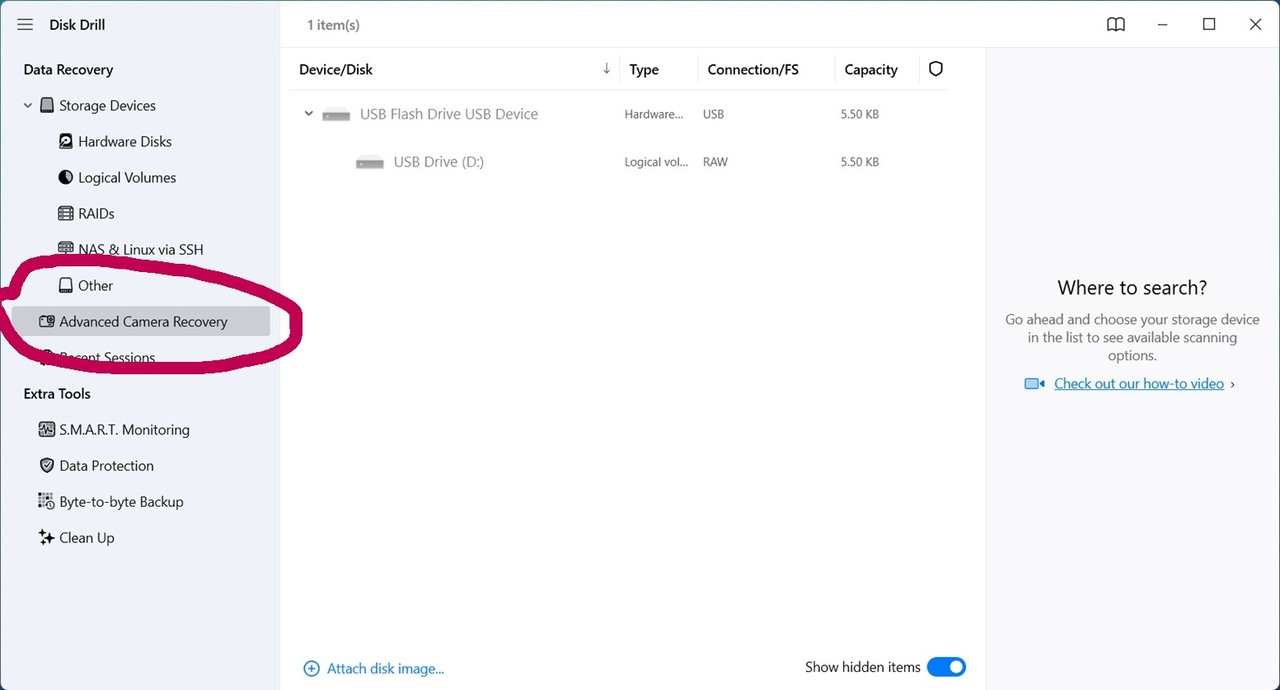
Edit: forgot to mention When you’re in Advanced Camera Recovery menu there’s an option under the scan button where you can select the camera brand. Choose Sony from the list before starting the scan.
It should still work even if you don’t select it, but in my experience picking the correct camera type helps with scanning.